When my partner and I first launched our PictureDialer apps, I thought they would be great for people with far-sighted vision (Grandma and her reading glasses), small children who are not yet reading, and those lovely people who love to talk on the phone while driving. Then I met a man, fell in love, and introduced him to the iPhone. Before I could install app one, he picked it up and said, "How in the hell am I supposed to make a call with this thing? There are no buttons on it! I miss my old phone already!" The poor man had no clue!
I went onto Facebook, saved photos of his friends, added them to the address book, installed PictureDialer Pro, set up his favorites, and tweaked the settings to a look I knew he would like. Almost instantly he was happily making calls and was amazed, "I can't believe you and Kane actually made this thing ... you made calling so much easier! Even easier than it was with my old phone!"
Months later, he still isn't very good with adding his friends to the app, but he has me for that. And thankfully the only issue he has had so far is that once I moved the icon, and he became all irritated because thought PictureDialer was gone. Heaven forbid! With a chuckle, I moved it back to the previous position and he was happy once again.
I still think PictureDialer is good for letting your toddler call Grandpa, or making Grandma's iPhone easy for her to use ... And yes, it does make calling easier while driving (heavy sigh), but the best thing it does is help iPhone newbies get used to their new gadget! Now, if I could only get him to stop calling it a GameBoy!
As always ... Happy Dialing!
Apps at AppStoreHQ
Showing posts with label iTunes. Show all posts
Showing posts with label iTunes. Show all posts
Thursday, May 20, 2010

Monday, December 1, 2008
Crying Over Crashing Apps?
Every since Apple released their 2.2 firmware, iPhone owners have been complaining about their apps crashing. At first I thought it was just our app, PictureDialer, that had gone nuts, however as it turns out, App Developers everywhere are moaning over the upgrade.
So don't go shooting stars, and cursing at your apps! There are some things you can try to relieve the pain:
Reboot Your iPhone
Try a hard boot by doing the following:
- Press and hold the small button on the top of the phone until the phone turns off.
- Then restart the phone the same way.
Be a Space Cadet
Give your iPhone plenty of breathing room. Make sure you have at least 10% of your total space free to give you operating system the ability to work properly. If you don't have the free space, stop being an App Hoarder, and delete some junk!



Back to Factory!
Try restoring your phone back to the original settings.
Warning - this will clear all your contacts, calendar, text messages, notes, call history, and MORE! First, be sure to back up your data! If you don't know how to do that, shame on you! No, seriously, it is okay, go here and learn how before you restore your iPhone. (Hint: Check out your Info tab on iTunes.)Restore Instructions:- Connect your phone to the computer, and go to iTunes.
- Go to Devices and click the Restore button in the Summary Tab.

Remove and Reinstall the Buggy App
This approach has worked for quite a few of our PictureDialer users, and could work for your cranky apps! It is worth a try, especially if you are being driven to distraction by the sudden bugginess of your phone.
Instructions for Removal/Reinstall:
- Delete the application off your iPhone. (For you newbie iPhone users, hold your finger down on the app until it starts to wiggle, and X icon will show up, and you can delete it by pressing it. Simply tap the phone to make all the Xs go away.
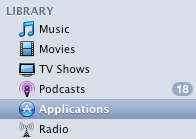
- Connect to iTunes and delete the app off your Application Library.
- Do a fresh install of your app(s).
Flush it!
This is a last resort, because you absolutely lose a ton of data. If you like your settings and having your recent call list, you might want to avoid this one all together! Nevertheless, you might be desperate, so here goes:
- Go to Settings on your iPhone.
- Select General, then choose Reset, the Erase all Content and Settings. Ouch! I know!
Note: You might want to go into your Preference in iTunes delete those settings as well. Why? Because it might be all those confusing data bits I mentioned earlier.
Well, that is all I have in my bag of tricks for now! Super-Developer-Guru-Dude, AKA Kane, has submitted a new release for PictureDialer. We are waiting for Apple to approve and upload it to iTunes. If you want to be informed of when the release is live, please sign up on our site to get updates! And as always, if you need help, holler!
Subscribe to:
Posts (Atom)

 Posts
Posts

